Tidying charging cables without trapping heat
Keep active charging equipment ventilated and use storage boxes for disconnected accessories.
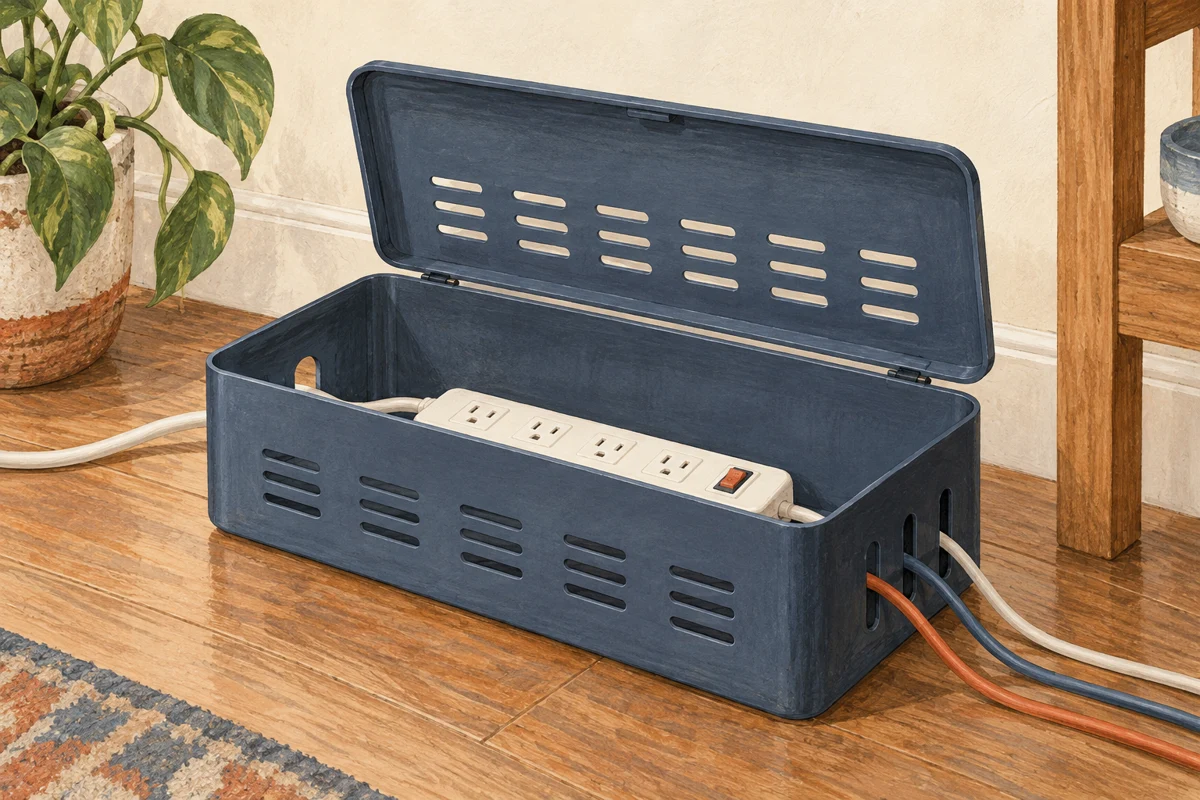
Separate storage from charging
A box for spare cables is an ordinary organiser. A box containing powered adapters and an extension board raises different questions. Do not hide active charging equipment in a closed decorative container to make a desk look tidy. Follow the electrical products' ventilation and placement instructions.
Apple's adapter guidance, for example, calls for use in a well-ventilated area. The broader buying lesson is to check the actual charger and power-strip instructions before choosing anything that surrounds them. A few holes in an unverified box do not establish that the enclosure is suitable for powered equipment.
Give disconnected cables a clear home
Sort spare cables by their actual connectors and purpose. Keep a small label for any cable that belongs to a particular device. A cable with the right-looking plug may not support every charging or data function, so retain identifying information where available rather than treating all similar cables as interchangeable.
Coil them gently according to their construction, avoiding tight bends and strain at the connector. Reusable ties can keep a loose coil together without pulling it into a sharp fold. Do not force several thick cables into a compartment that presses against their ends.
Inspect for visible damage before storing or using them. A frayed cable or damaged adapter is not improved by being hidden inside an organiser. Follow manufacturer advice about replacement, and do not use tape as a general repair for faulty charging equipment.
Tidy the route without enclosing the heat
For equipment in use, a suitable cable clip may keep a loose lead from falling behind the desk. Position it so it does not pinch the cable, pull on a port or create a trip hazard. Leave sufficient slack for normal device movement without stretching the connection.
Keep plugs accessible where required so equipment can be disconnected safely. Do not bury a power strip under papers, fabric or a collection of spare leads. Follow its ratings and instructions; a neater arrangement does not permit overloading or chaining unsuitable extensions.
Make the working area legible
On a shared desk, identify which lead belongs to which device before bundling anything. A discreet label near a disconnected cable's end can help, provided it does not cover ventilation, interfere with a connector or contradict the product's instructions. Avoid fastening several leads so tightly together that removing one pulls on all the others.
Leave a visible separation between spare accessories and equipment currently in use. That makes it easier to notice an adapter, inspect a cable and disconnect a device without opening a packed box. A clear surface can also reveal a spill sooner than an enclosure full of paper labels and loose leads.
If the desk is regularly moved, review the cable route after each change. A lead that had comfortable slack can become trapped behind a leg or stretched across a walkway. Organisation is not finished at the moment clips are fitted; it must still work with the chair, desk and devices in their normal positions. Choose a simple route that can be checked at a glance.
Choose a box for the inactive collection
A shallow divided box can make spare connectors visible. An opaque lid can keep the desk visually quiet, but add a label so another person does not mistake it for rubbish or general storage. Keep liquids away and choose a location that does not expose the collection to heat or crushing.
Review the contents occasionally. Unknown cables can be identified before being kept or disposed of through an appropriate route. The aim is to find the correct spare quickly while leaving active electrical equipment in the conditions it needs to operate.